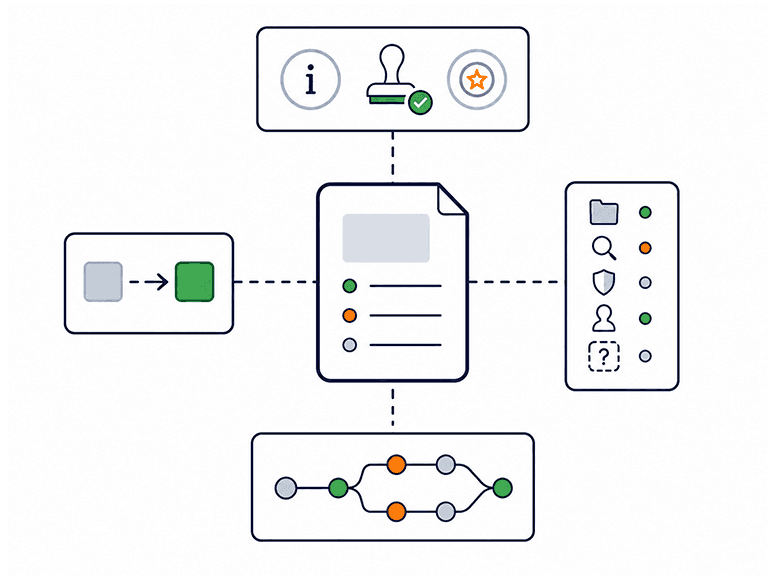
382 governed templates spanning five product roles and eight lifecycle phases — each with guidance on why it matters now, who signs it off and what good looks like.

A product team needs documents that carry decisions from discovery through to post-launch review. That includes research and discovery documents, validation evidence, business cases, roadmaps, success measures, requirements, specifications, launch readiness checks and post-launch reviews. Gensudo’s library covers all of this with 382 governed templates across five product roles and eight lifecycle phases, each designed to be decision-grade. The five roles are Head of Product, Product Director, Product Manager, Product Owner and Creative Director. Each role has its own templates, designed around its level of responsibility rather than simply renaming the same documents.

Every template includes practical guidance on why the document matters, what sign-off it needs, what good looks like and what each section should contain. Across the library, 3,651 section-level source expectations define where evidence should come from, including project context, research, standard practice, user input or information that is genuinely unknowable. The documents are also connected through a workflow graph of 2,102 dependencies across 39 stages. This shows what each document needs before it can be completed well, and what it unlocks next. Instead of starting from a blank page and working out what comes first, teams have a structured path through the product lifecycle.
Every page includes the real section structure, quality checklist and role guidance from the in-app template.
25 deep-dive pages published so far, drawn from the 382 governed templates inside Gensudo — more are added in governed waves.
A Business Case is the Head of Product's investment case for an initiative: it sets out the problem, options, costs, benefits, risks and return, and states plainly whether the opportunity deserves funding and organisational commitment.
A Head of Product's Competitive Analysis is a competitor intelligence document that reads the market at strategy level: ICP and buyer context, competitor segmentation, positioning and claims, and win-loss evidence.
A Product Manager's Competitive Analysis is a competitor intelligence document that compares how rival products, substitutes and workarounds serve the user's job to be done, feature by feature and step by step.
A Product Manager's Customer Problem Statement clarifies the problem before anyone commits to a solution: the affected users, the current-state process, the impact, the evidence and the constraints.
A Product Manager's Jobs to Be Done Analysis synthesises qualitative and quantitative insight into the jobs customers are trying to get done: their needs, behaviours, journeys, pain points and the outcomes they judge success by.
A Market Research Report is the Head of Product's evidenced view of the market before product choices are made: market size, trends, competition, buyer economics and external forces, interpreted into implications.
For a Head of Product, the OKR Framework translates strategy into objectives, key results, KPIs and measurable success criteria.
A Head of Product's Opportunity Assessment evaluates an opportunity at portfolio level: whether to pursue, shape, park or reject it.
A Product Manager's Opportunity Assessment turns a validated customer problem into a clear read on whether it is worth deeper validation or investment.
For a Creative Director, the Persona Document is a lean, decision-ready portrait of the audience: who they are, what they want, what frustrates them, and what that means for the creative work.
For a Product Manager, the Persona Document is an evidence-led reference that defines the customer segments, personas, decision-makers and stakeholders behind a product, and the product, design and prioritisation decisions they should inform.
A Product Director's Post-Launch Review documents how a launch performed against its goals, what drove the result, and what to do next.
A Prioritisation Framework is the Head of Product's ruleset for ranking initiatives, features and backlog candidates before capacity is committed.
A Prioritisation Framework for Product Directors is the ruleset for deciding portfolio priorities across multiple teams before capacity is committed.
A Product Discovery Brief for Heads of Product frames a discovery question and the hypotheses it will test at a strategic level.
A Product Discovery Brief is how a Product Manager packages discovery findings into a concise shared direction for product, design, engineering and stakeholders.
A Product Manager's Product Launch Checklist confirms that release, launch, brand, campaign, operational and executive readiness are all met before go-live.
A Product Manager's PRD specifies what is being built and why: the requirements, user stories, scope, acceptance conditions and expected behaviour for a product or feature.
A Product Manager's Product Roadmap turns validated direction into sequenced priorities across annual, quarterly, release and delivery horizons.
For a Head of Product, the Product Strategy Document sets the strategic direction, vision, principles and operating guardrails that guide planning choices.
For a Head of Product, the Product Sunset Assessment decides whether a product, feature, portfolio or brand should scale, reposition, transform or sunset.
A Product Vision Statement is the Head of Product's concise, durable picture of what the product or portfolio is trying to become: the target customer, the future state, the value it creates and the ambition that keeps teams aligned when they trade off.
A Product Manager's Product-Market Fit Assessment judges whether a product has genuine, durable pull in its market, and recommends whether to scale, improve fit, or rethink.
A Product Manager's RICE Scoring Sheet ranks features, backlog candidates and portfolio items by Reach, Impact, Confidence and Effort before you commit capacity.
A Product Manager's Validation Findings Report sets out what testing with target users, buyers or stakeholders actually showed, and the product decision that follows.
Eight phases, each with its own decision to enable — and the documents to enable it.
58 templates that establish whether a problem is real, who has it, and whether it's worth solving.
Explore Discover →44 templates that pressure-test demand and fit, then support the call: proceed, revise, pause or stop.
Explore Validate →85 templates — the deepest phase — for setting priorities, sequencing the roadmap and agreeing success measures.
Explore Plan →39 templates that specify exactly what gets built: requirements, user stories and creative direction.
Explore Define →38 templates that keep delivery honest — scope tracked, blockers surfaced, trade-offs recorded as decisions.
Explore Build →31 templates that confirm readiness function by function, so the go decision is made on evidence.
Explore Launch →53 templates for reading real performance against your success measures and deciding what happens next.
Explore Optimise →34 templates for the deliberate ending: double down, reposition, or retire the product well.
Explore Scale or Sunset →The same lifecycle, seen from five different altitudes — each role gets its own templates and its own AI drafting persona.
72 templates for the leadership view: strategy, portfolio decisions and the documents that commit an organisation.
See the Head of Product library →66 templates spanning direction-setting and governance — heaviest where plans are made and products are scaled or retired.
See the Product Director library →83 templates across the full lifecycle, from discovery briefs to fit assessments — the broadest working set in the library.
See the Product Manager library →77 templates concentrated where delivery lives: stories, backlogs, build honesty and launch readiness.
See the Product Owner library →84 templates — the largest single set — covering briefs, brand guidelines, tone of voice and the creative side of every phase.
See the Creative Director library →Dashboard, kanban, timeline, calendar and flow views keep all of it moving — with collaboration on the Team plan.
Explore the lifecycle workspace →Start where your product actually is in its lifecycle. A brand-new idea starts with a Product Discovery Brief, then a Market Research Report and an Opportunity Assessment — the documents that answer "is this problem worth solving?". A product heading into delivery starts with a PRD and User Stories instead. Gensudo's dependency graph handles the ordering for you: each template knows what it needs before it and what it unblocks next.
A document that a real decision could safely rest on. In practice that means claims traced to sources with inline citations, the reasoning visible rather than implied, scored comparisons where options compete, counter-evidence acknowledged, and honest gaps stated plainly instead of hidden behind placeholders. It's the difference between a document that describes a decision and one that can actually carry it.
Yes. Alongside the 382 built-in templates you can create custom templates with your own sections — each section a heading and a short description of what it should contain — assigned to a role, phase and type. Custom templates can be marked as org-approved standards or internal examples, carry a version, and sit in the same library, where the AI drafts each section just as it does for built-in templates.
No — and no team should try to use them all. The library is comprehensive so that whatever your role and phase, the right document exists with guidance attached; the dependency graph then surfaces what's relevant to where you are now. Most projects touch a small fraction of the library at any given time. Breadth is there so you never hit a gap, not so you fill every slot.
Through a workflow graph of 2,102 dependency edges across 39 stages, each edge recording what a document needs before it can be written well and what it unblocks next. A Business Case leans on market research; a PRD waits on the decisions of planning; launch checklists draw on everything upstream. On top of that, a project fact store lets later documents reuse facts established in earlier ones, so your figures stay consistent across the set.
Yes. Gensudo’s templates, structured guidance and workspace can all be used without generating AI content. A paid subscription is required, but using the included AI credits is optional. When you do use AI drafting, research or review features, the output remains a suggestion for you to accept, edit or reject - it supports your judgement rather than replacing it.
They're checkable, which is the honest version of trustworthy. Drafts carry inline citation markers matched to a visible source list; a free trust rail shows readiness as trust times coverage, section by section; and provenance is explicit — every claim traces to your project data, researched sources or AI synthesis. Citations make claims verifiable rather than guaranteeing truth, and no unreviewed AI output is ever treated as final.
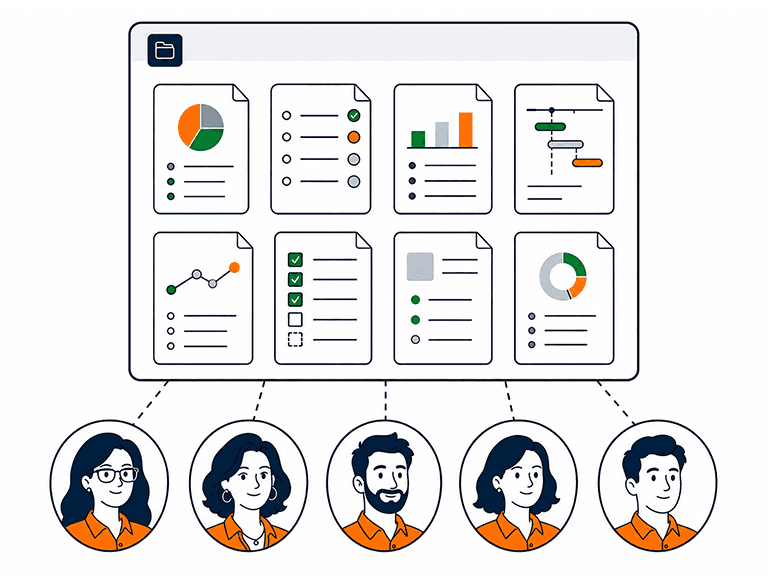
382 governed templates, organised by your role and your phase, with what-good-looks-like guidance in every one.