Would this document survive a hard question? Now you can see the answer.

Inline citations, visible provenance and a free trust rail show exactly what every claim rests on — before a stakeholder asks, and all the way into the exported file.

Get StartedAdd an editor's review on top
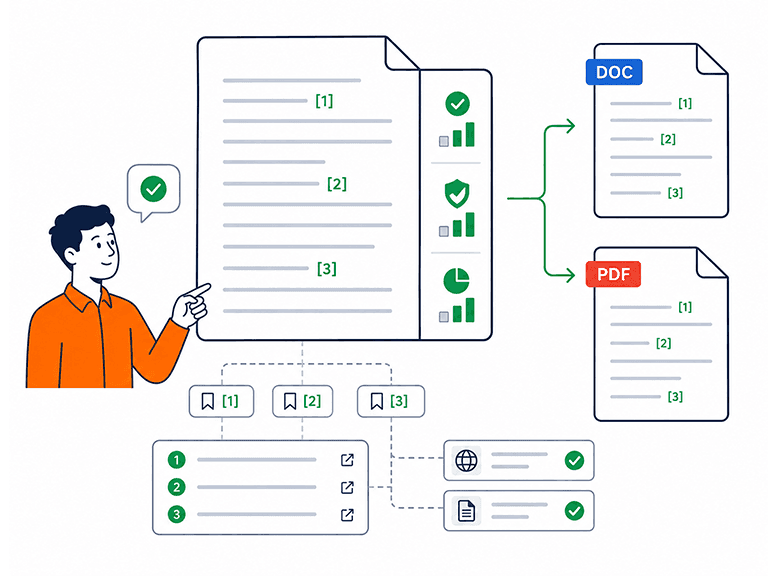
Inline citation markers linked to a numbered source list, carried through into Word and PDF exports

Citations and trust that travel with the document

Gensudo adds inline citation markers linked to a numbered source list. The same references are carried into Word and PDF exports, so the evidence remains visible wherever the document is shared. A deterministic trust rail shows how well-supported each document is using readiness, trust and coverage scores. Per-section indicators and clickable findings make it easy to inspect the evidence before sign-off.

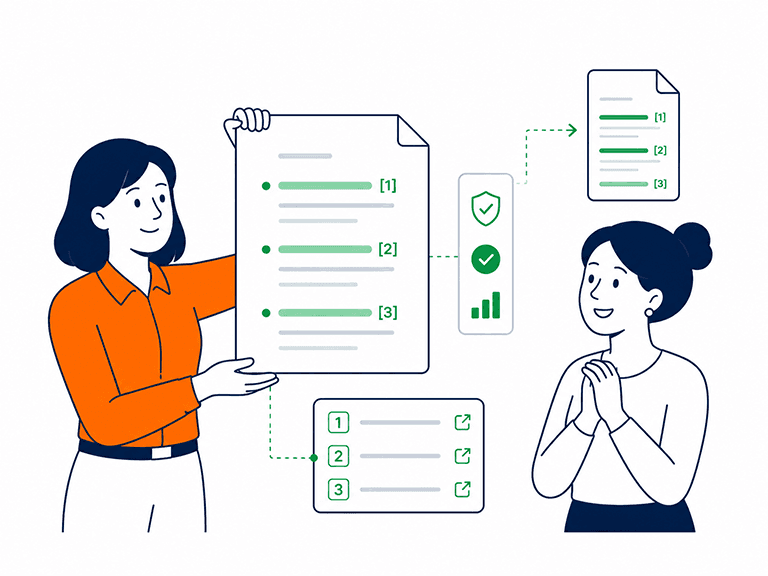
A product lead presenting a document where every claim carries a citation, and a colleague accepting it without challenge

The “says who?” moment

A document’s weakest moment often comes when someone asks, “Says who?”. Most AI-assisted writing makes that question harder to answer by presenting confident claims without visible origins. Trust should not be based on how convincing a document sounds. It should be something you can inspect claim by claim and section by section - and something that survives the export.

From claim to source, step by step

  1. 1

    Claims are cited as they are drafted

    Drafted claims carry inline [N] markers that match a numbered source list on the document. Follow a marker and you land on the source behind the sentence.

  2. 2

    The trust rail reads the whole document

    A deterministic, free trust rail computes Readiness = trust × coverage, with per-section bands showing where the document is well-evidenced and where it is thin.

  3. 3

    Work the findings

    Clickable verify, risk and strength findings turn the read into a to-do list: confirm this source, shore up that section, note where the document is already strong.

  4. 4

    Verify sources to lift the read

    Confirming a source says what the document claims lifts the document's readiness. Leaving sources unverified is neutral — never a penalty — so the signal only ever rewards work done.

  5. 5

    Export with the evidence attached

    Word and PDF exports carry the same citation markers and the same source list as the editor. What reviewers see is what the document actually rests on.

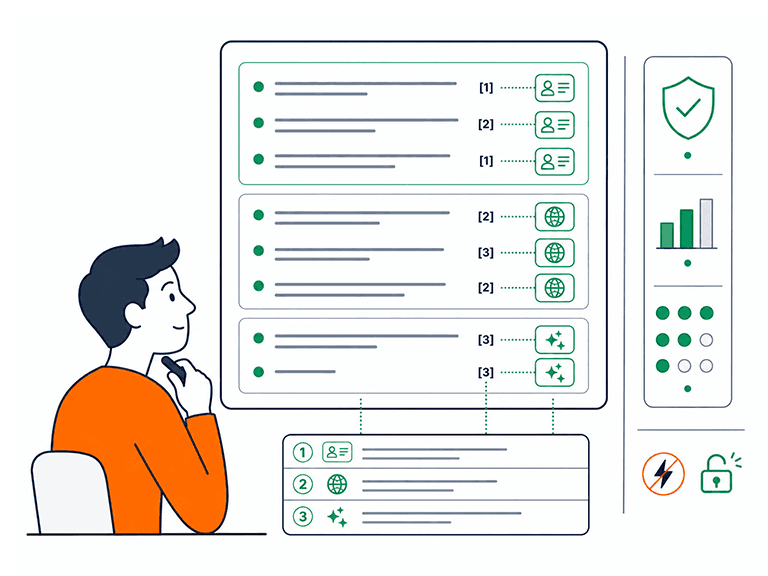
Claims grouped by origin: your project data, researched web sources and AI synthesis, each labelled in the document

Every claim declares where it came from

Not all evidence is equal, and Gensudo does not pretend it is. Claims trace to one of three origins — your project data, researched sources, or AI synthesis — and that provenance is visible in the document. Readers can weigh a first-party metric differently from a synthesised summary, because they can tell them apart.

  • Three visible origins: project data, researched sources, AI synthesis
  • Inline [N] markers link each claim to its numbered source
  • Per-section bands show exactly where coverage is thin
  • The trust rail is deterministic and free — no credits, no black box
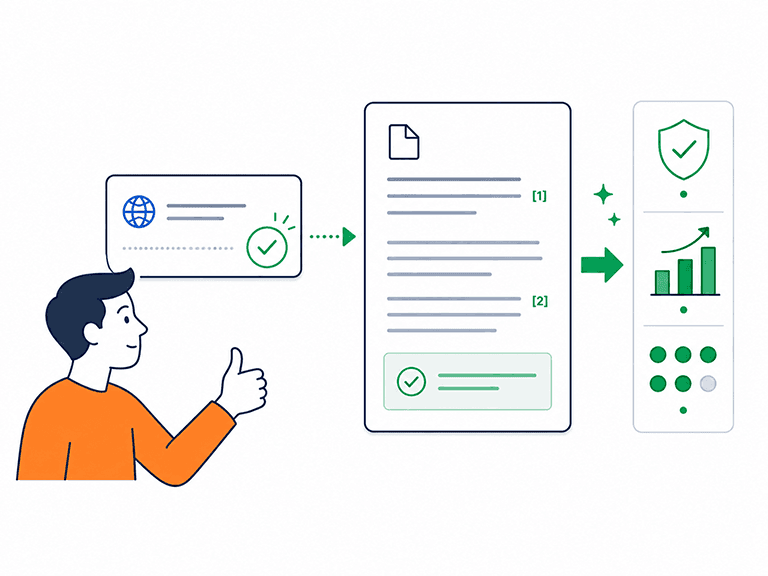
Confirming a source marks the claim as verified in the document and lifts its trust score

Verification lifts - it never punishes

Trust is built deliberately, so the mechanics reward effort instead of manufacturing anxiety. Verify a source and the document's read improves; leave it unverified and nothing is deducted. The result is a readiness score you can raise with real work, backed by a pool of evidence you control.

  • Verifying a source lifts the document's readiness read
  • Unverified sources remain neutral - never a mark against you
  • Readiness = trust × coverage: both halves are inspectable

Controls and honest limits

The trust system is built to inform your judgement, not to perform certainty it does not have.

Free and deterministic

The trust rail costs nothing and uses no credits. It is a deterministic read of the document in front of you — the same document always produces the same result.

Paid review goes deeper

Citations are trails, not proof

A citation shows where a claim came from so you can check it. It never guarantees the claim is true — that judgement stays with you, which is why provenance is made visible at all.

What it will not do

The trust rail will not block a document, approve one on your behalf, or penalise you for sources you have not yet verified. Sign-off is a human decision, and templates state whose.

How drafts earn their citations

Trust and citations, examined

What does 'Readiness = trust × coverage' actually mean?

It is the trust rail's plain-language formula: readiness reflects both how trustworthy the document's evidence is and how much of the document that evidence covers. Per-section bands break the read down, so a strong section cannot hide a thin one — and clickable findings show exactly what would improve either half.

Do the citations prove my document is correct?

No — and any tool that implies otherwise is overselling. Citations make claims traceable: each inline [N] marker leads to a numbered source you can inspect. Whether that source is credible, current and correctly represented is a judgement Gensudo helps you make, with provenance and a verify loop, but never makes for you.

Does the trust rail cost credits?

No. The trust rail is free and deterministic, updating as the document changes without spending anything. Credits are reserved for generative work — drafting, editorial review and critique — while the trust read is always on.

Am I penalised for sources I have not verified?

Never. Verification is a positive-only signal: confirming a source lifts the document's read, while unverified sources stay neutral. The design rewards evidence work you choose to do rather than punishing work you have not got to yet.

Do exports keep the citations?

Yes. Word and PDF exports carry the same inline citation markers and the same source list as the editor, so the document you circulate for sign-off shows its evidence exactly as you saw it while writing.

How can I tell what the AI wrote versus what came from my data?

Provenance is visible on the document: claims trace to your project data, to researched sources, or to AI synthesis. That distinction is deliberate — a reader should weigh a first-party figure differently from a synthesised summary, and Gensudo makes sure they can.
Send the document that answers 'says who?' before it is asked

Get started and put your next document on the trust rail - citations inline, provenance visible, sources in the export.

Get Started